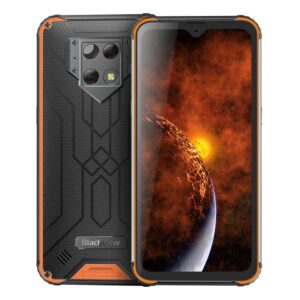
Descripción
Size and Weight

Rugged
Processor
Storage and RAM
Display
Back Display
| Display Mode | Dual Screen Intelligence Display: Supports switching between main and back screens, but only one screen can be displayed at a time. To switch, double-click the floating icon on the right side of the current screen and flip to the other side within 5 seconds to continue using the other screen. |
| Main Screen Display: Only main screen workd and the back screen is unavailable. | |
| Sub-screen Display: Only the back screen works and the main screen is unavailable. | |
| Dual Screen Mirroring: Both the front and back screens display the same content simultaneously, but only one screen is touch-enabled for operation. By default, the currently active screen is touch-enabled, but users can manually set either screen to be the touch-operable one. | |
| Double-tap to Wake/Sleep | In the modes of Main Screen Display, Sub-screen Display, and Dual Screen Mirroring, double-tapping on a touch-enabled screen can wake up or sleep the screen. The double-tap to sleep function is only available on the system’s home screen and lock screen interface. |
Rear Camera
| 4K recording | 30fps |
| 1080P recording | 30fps |
| 720P recording | 30fps |
| 480P recording | 30fps |
Front Camera
| 1080P recording | 30fps |
| 720P recording | 30fps |
| 480P recording | 30fps |
Halo
Audio
Underwater Photography
Operating System
Buttons

Sensors
Multimedia
| Video | MOV/MKV/3GP/MP4 |
| Audio | MID/FLAC/MKA/MP3/M4A AAC/AMR/OGG/MP2 |
| Image | GIF/JPEG/PNG/BMP |
| Ebook | TXT/HTML |